4.0 KiB
Find Repositorys
Demo RAD-Galaxy2
General showcase
Short description what will be demonstrated
-
VividCAN1:
Display Vehicle data (see: Demo_Datalogger)
Slider to change background light
-> this information will be send to second VividCAN2 to remotely change background light.CAN -> CAN2ETH GW -> ETH tapping -> ETH2CAN GW
Push buttons to send TC10 commands to SFP modules of RAD-GigaStar
-
Fire3/Red2:
Simulating Vehicle data
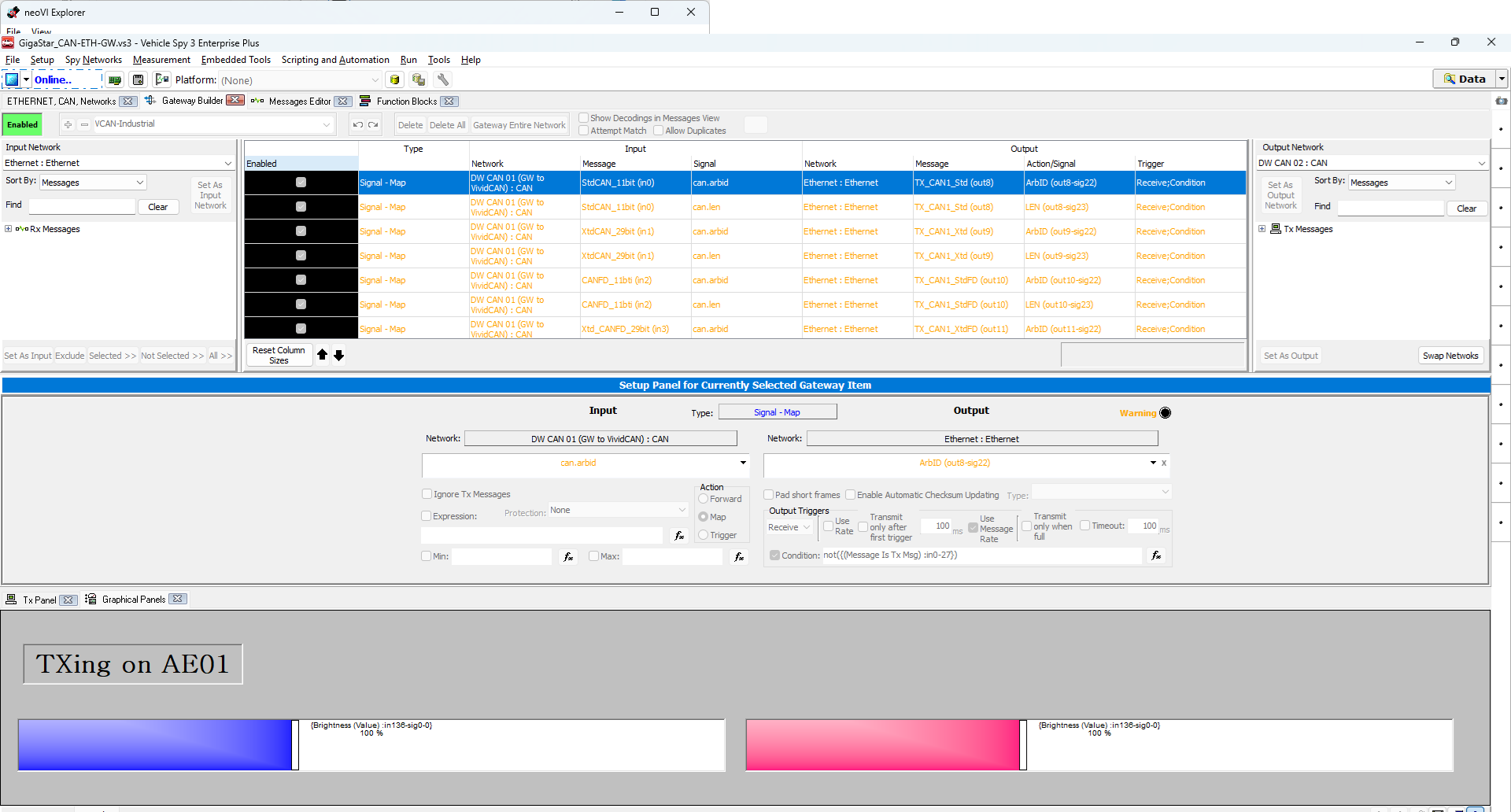
Embedded CAN-ETH Gateway -
RAD-Galaxy2:
Tap device - ETH1 <-> ETH2 / AE01 <-> AE02 streams -
RAD-GigaStar:
AE simulation (saw signal) - TX on AE01, RX on AE02.
Embedded CAN-ETH-CAN Gatewaying for CAN1/2 (see Demo_VCAN42-Ind_CAN-ETH-GW) -> to dispaly Vehicle data on VividCAN2 -
VividCAN2:
Display same Vehicle data as VividCAN1 but received ofer ethernet and ETH-CAN-GW Backlight can be adjusted localy or over VividCAN1 slider -
VehicleSpy connected to:
Variant1:
RAD-GigaStar (device hosting on ETH1) to display Vehicle data (CAN->ETH)
saw signal from RAD-GigaStar (AE1 and AE2) and on RAD-Galaxy2 (AE3 and AE4 - only receive side)
Variant2: Red2/Fire3 to show original CAN data -
Wireshark (with ICSCAP):
Monitoring the whole, tapped streams LUA-File and Coloring availbable.
Requirements
- "Remote" Datalogger
(e.g. neoVI-RED2/Fire3/Connect)
with CoreMini Setup and replay files File1 and File2 - Two VividCAN with CoreMini Setup
- RAD-Galaxy2
- RAD-GigaStar
with CoreMini Setup
(embedded CAN-ETH-CAN Gateway and device hosting)
Hardware Setup
Red2 & Fire3
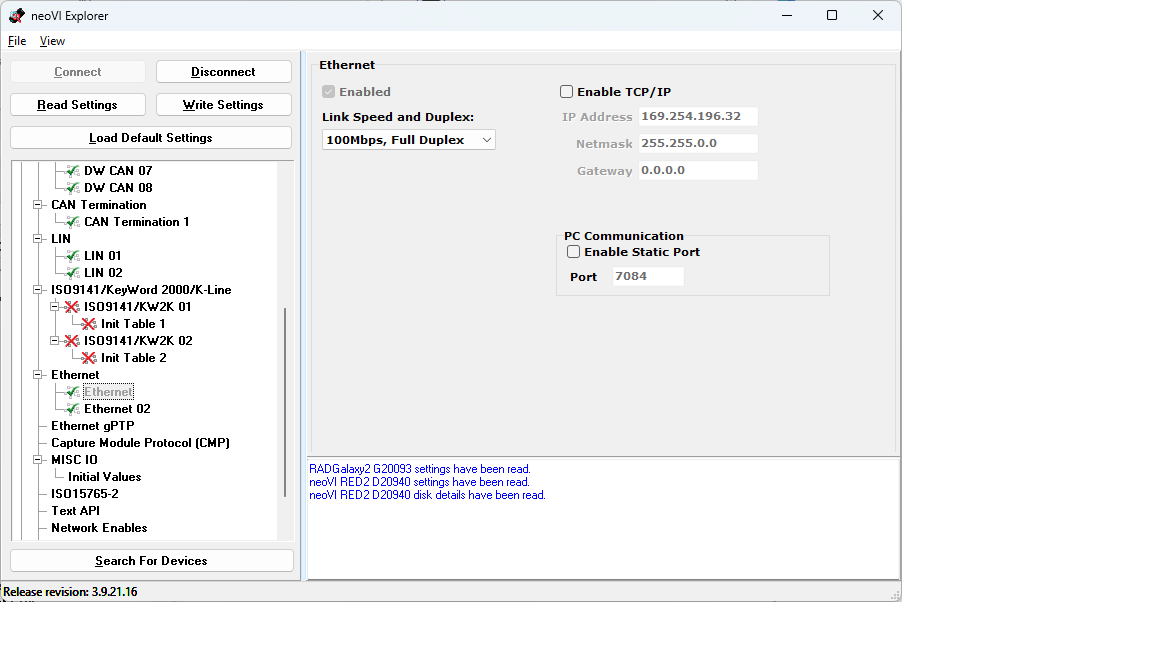
Set ETH01 to 100Mbps full duplex for this demo
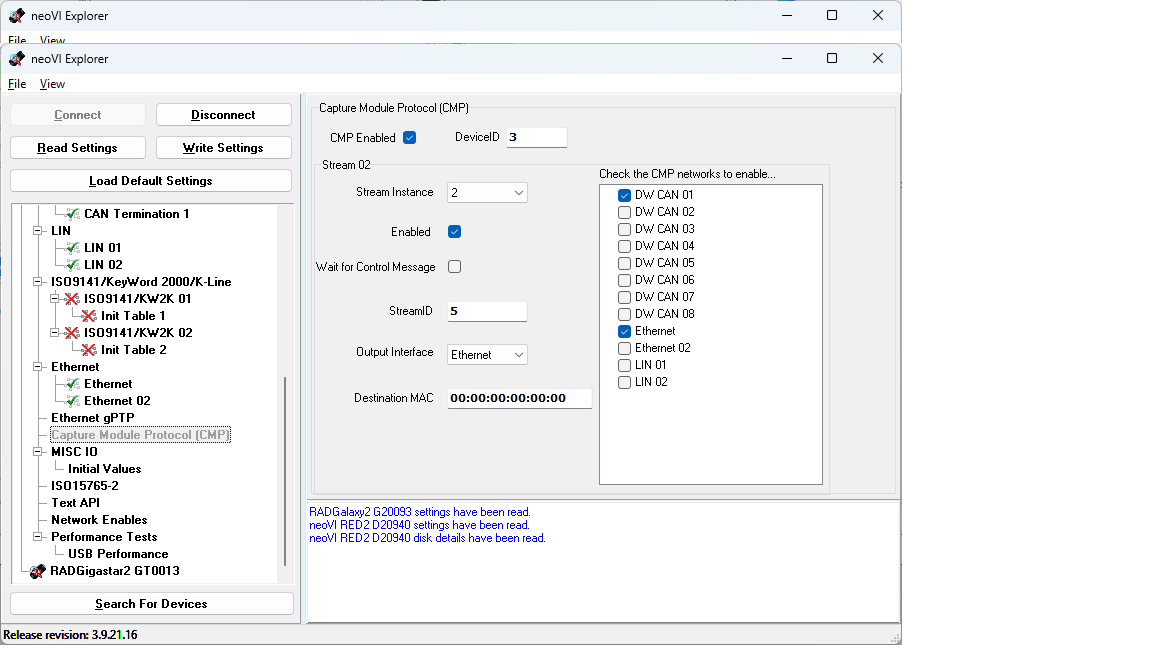
Enable CMP on Red2/Fire3 - stream could be shown in ICSCAP
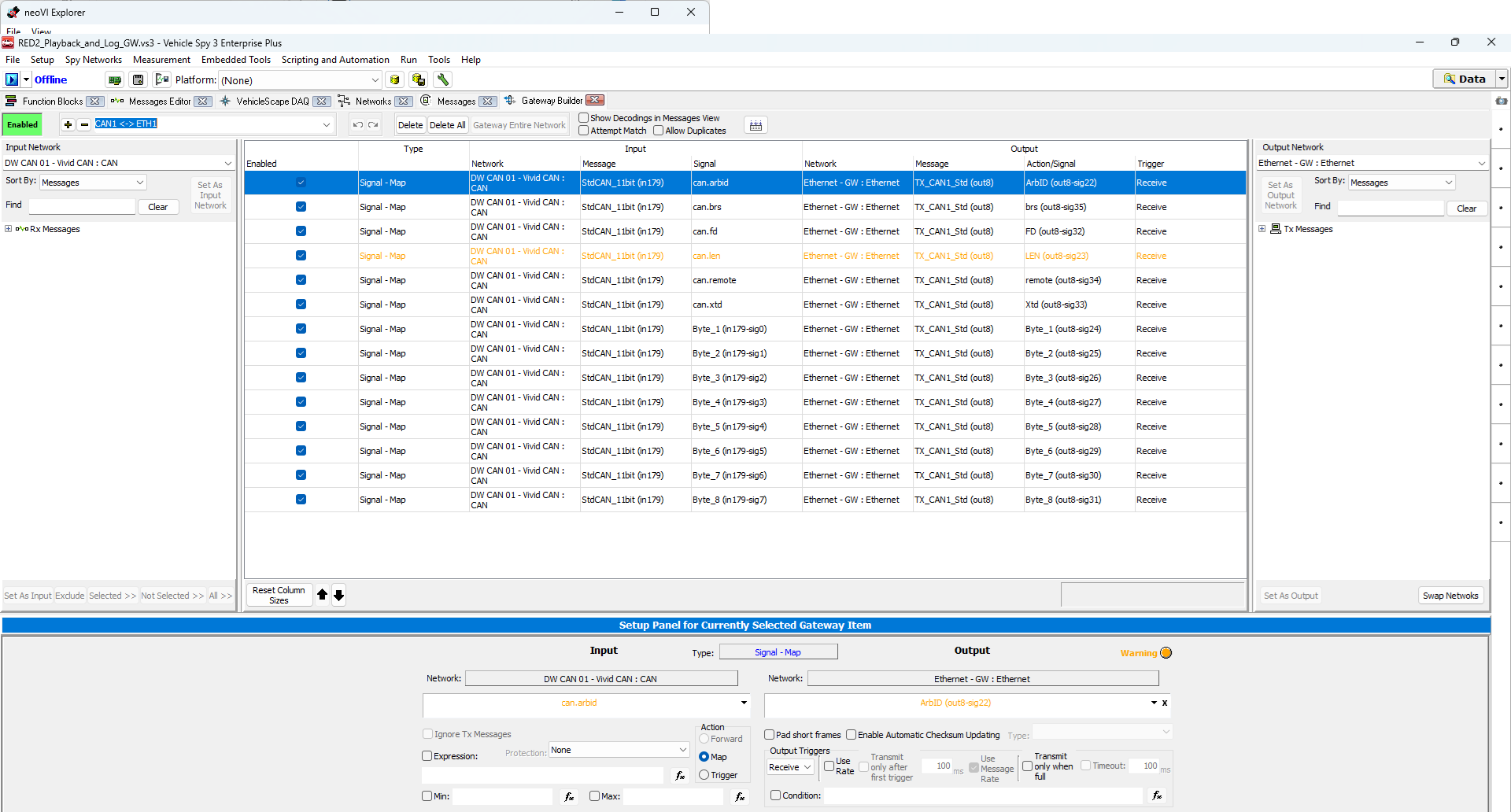
Enable embedded Gateway and download to CoreMini, disable afterwards before going onlin.
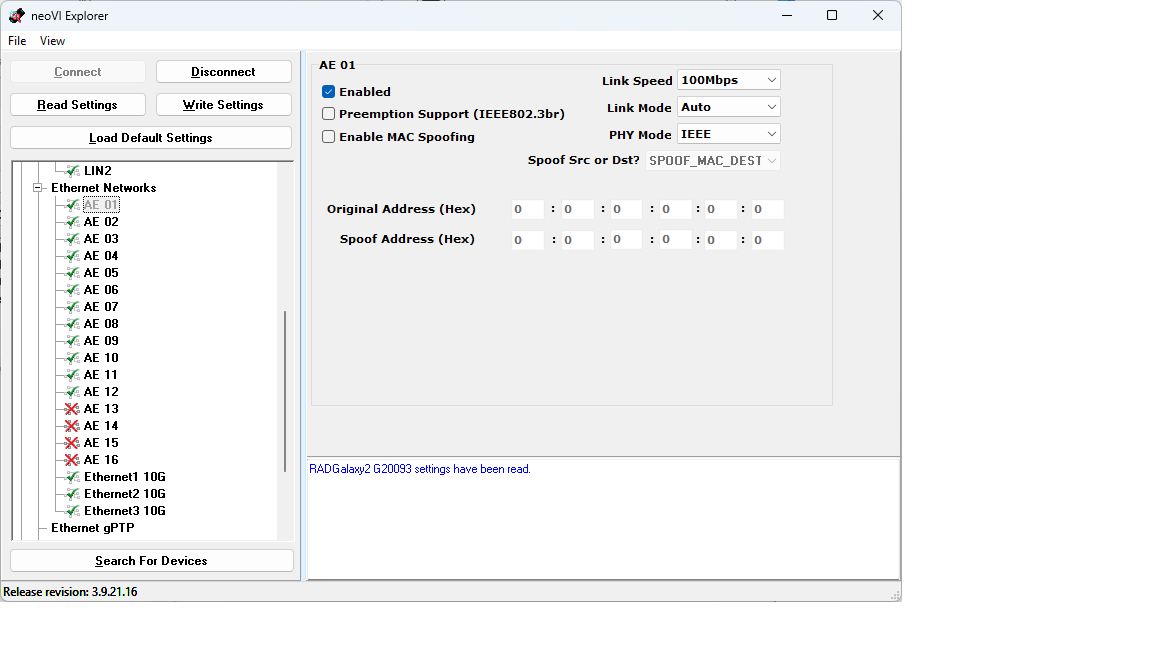
RAD-Galaxy2
Tapping and forwarding AE01/AE02
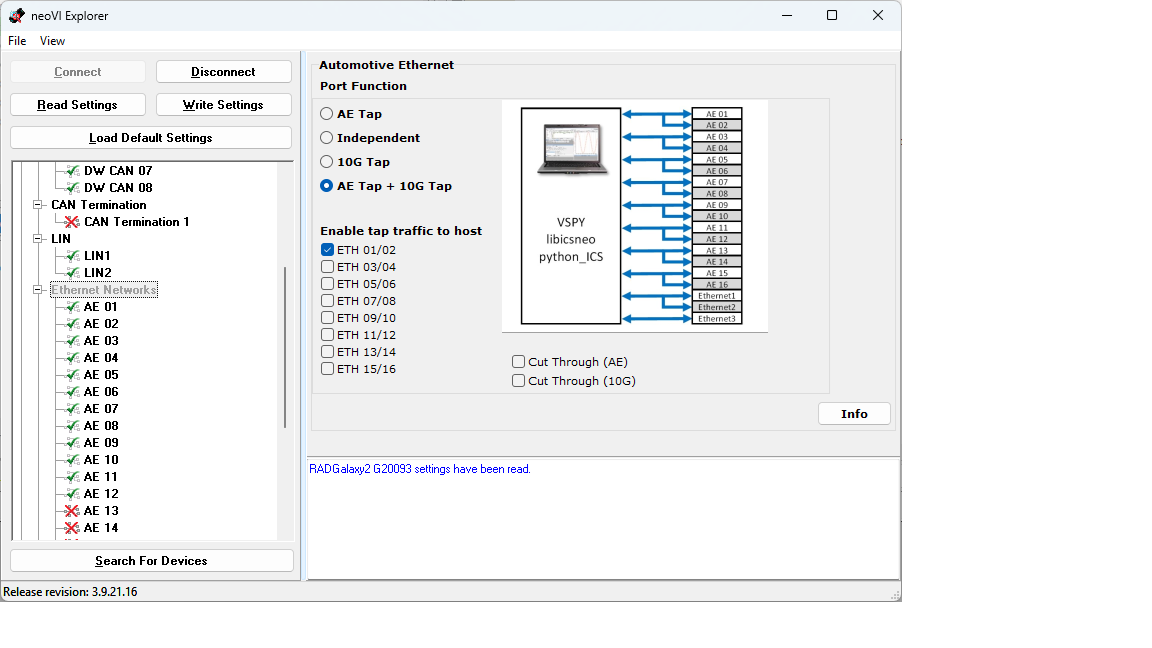
Enableling AE01/AE02 + ETH01/ETH02/ETH03 - for Demo only 100Mbps
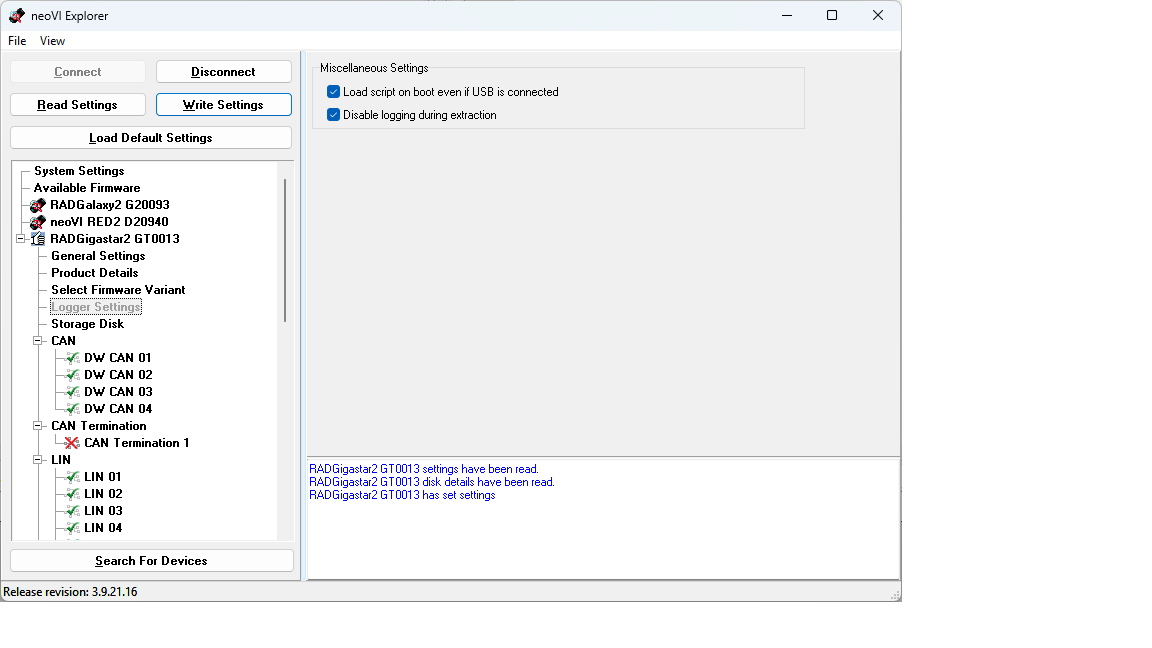
RAD-Gigastar2
Enable CoreMini if USB is connected to runn Script anyway
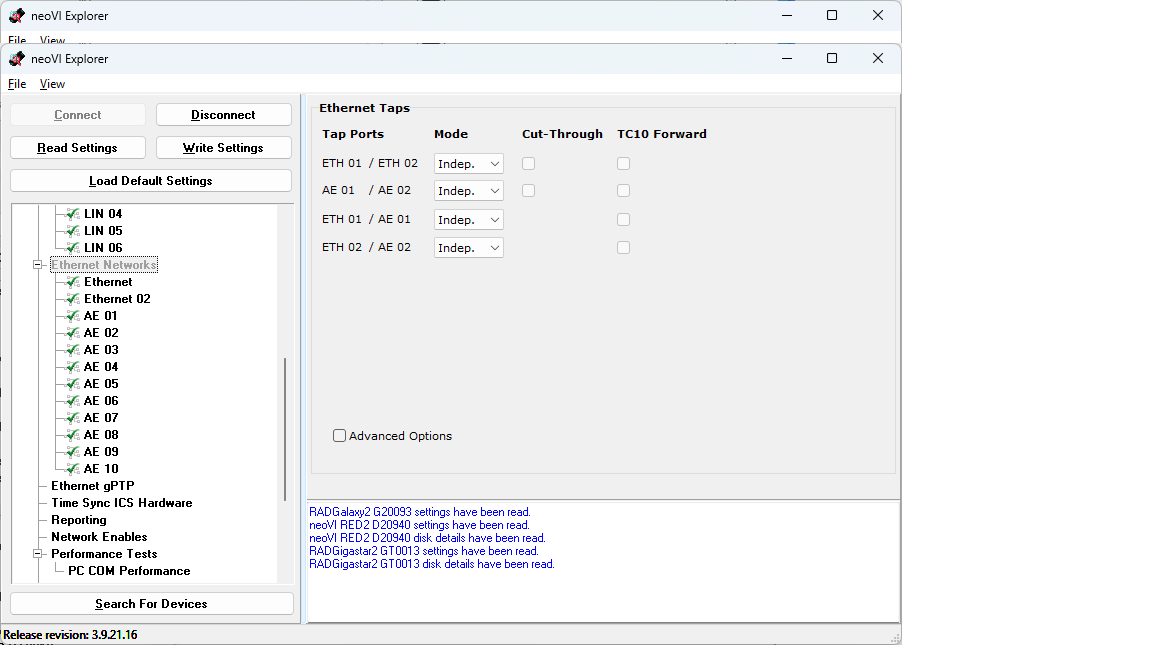
Use independant networks on GigaStar (no tapping)
Download embedded Gateway only to CoreMini, disable afterwards if running online
Connections
- Red2/Fire3 (DWCAN01) -> VividCAN1 + Power
- Red2/Fire3 (ETH1) -> RAD-Galaxy2 (ETH1)
- RAD-Galaxy2 (AE3) -> RAD-GigaStar (AE1)
- RAD-Galaxy2 (AE4) -> RAD-GigaStar (AE2)
- RAD-Galaxy2 (ETH3) -> RAD-GigaStar (SFP-ETH1)
- RAD-GigaStar (DWCAN01) -> VividCAN2 + Power
Setup I
Showcase - Vehicle Spy
Individual description of setup
Setup II
If multiple setups are available
Showcase - Wireshark
Individual description of setup
(updated 08.12.2025)